1/7Open commentsAn invitation to join, not a sign-up wall.
Scroll · 2019
Comments
Discussion under every article
Role
Product strategyUXVisual
Team
EditorsDesignersDevelopers
Timeline
5 Months
Overview
Comments lets readers reply to articles on Scroll. We wanted a place for useful, well-informed discussion that makes the news better for everyone.
Goals
Good discussion, easy to join
Good discussion
Quality
Moderators check comments, so readers share useful, well-informed views.
Easy sign-up
Onboarding
Readers can sign up and post with as little effort as possible.
Simple moderation
Trust
Moderation tools that are easy to use and keep the discussion polite.
Research
Learning from other comment tools
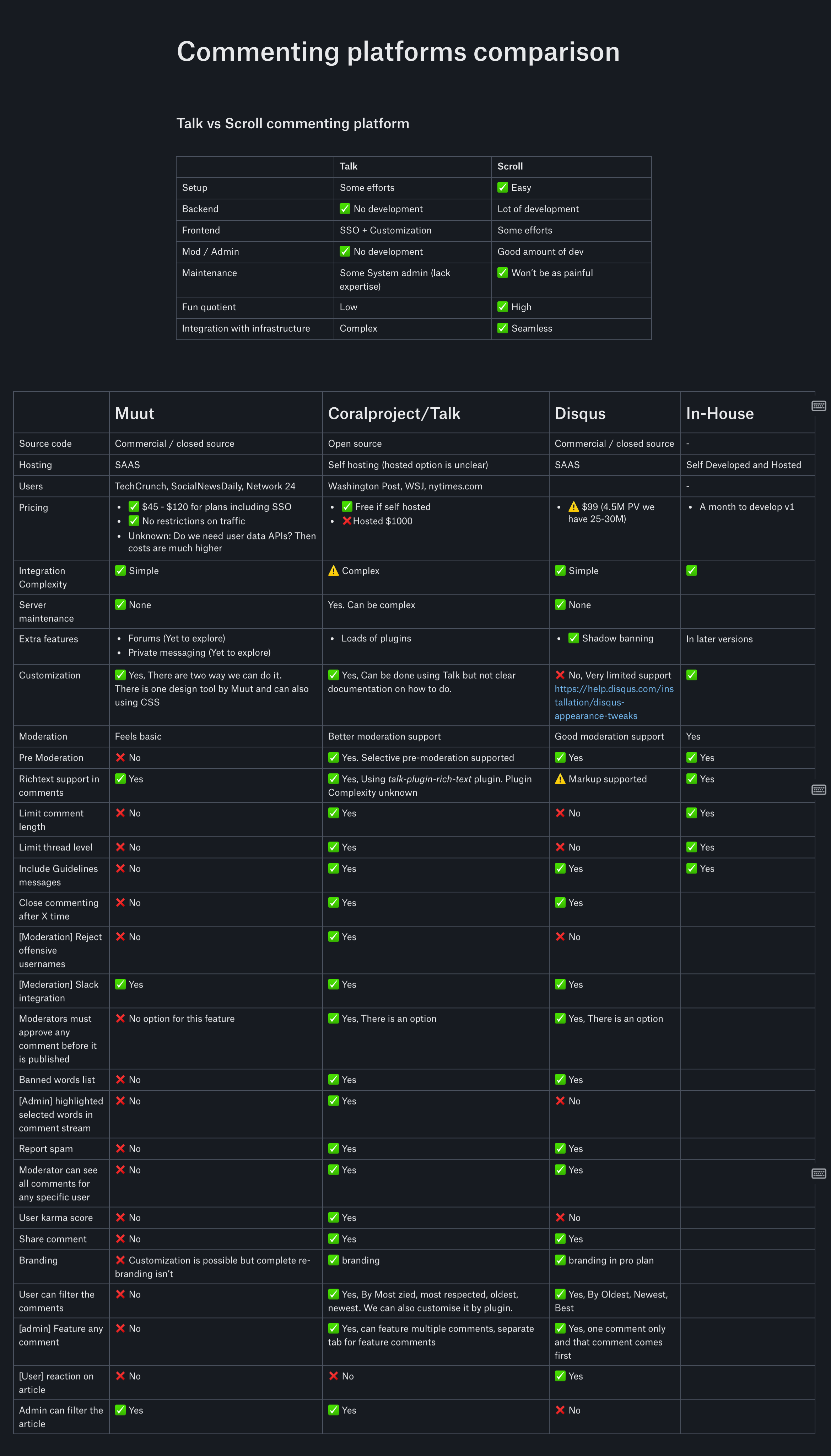
We looked at the comment tools already out there. We compared how much you could change and how they looked, so we knew the tradeoffs before designing our own.
ComparisonComparing comment tools, their styles and how they handle moderation.
Design
Where comments live
A button on the share bar and one below the article both open comments.
On phones, comments open full screen.
Two ways to sign up before commenting: post first and confirm your email after, or log in or sign up before you post.
Entry pointTwo ways in: a button below the article and one on the share bar, so comments are always close by.
How it works
How a comment goes live
Readers sign up once, with as few steps as we could manage. After that, every comment follows the same path: post, get checked, and get an email that brings the reader back.
Once, for each reader
Then, every time
User journey map
How joining the discussion felt
This follows a reader from the article to a live comment. The one low point is signing up, so we kept it as short as we could: write first, then add an email.
Persona
K
KavyaRegular Scroll reader
Scenario
Kavya has just read an article and has something to add, but has never commented on Scroll and doesn't want to set up a full account first.
Goal
Share a useful comment and see it go live
Thoughts & feelings
Emotional experience
Journey phases
Steps and opportunities
“Can I say something?”“Ugh, another account?”“OK, quick code.”“Someone replied!”“It's live.”
Reader5 steps
Logged out
Show the best comment first to invite people in.
Sign up
Keep the draft safe if the reader leaves to sign up.
Confirm
Read the code automatically on phones.
Logged in
Let readers follow a thread and get replies by email.
Break the rules: a polite ban screen
Approved
Tell people how long approval usually takes.
Drag or scroll sideways to see every step →
The design
From invitation to live comment
Comments open in a panel beside the article, so readers never lose their place. Here are the screens, and the small details that made each one work.
Logged outTwo numbered steps: write your comment, then sign up or log in to post. Other readers' comments sit right below.
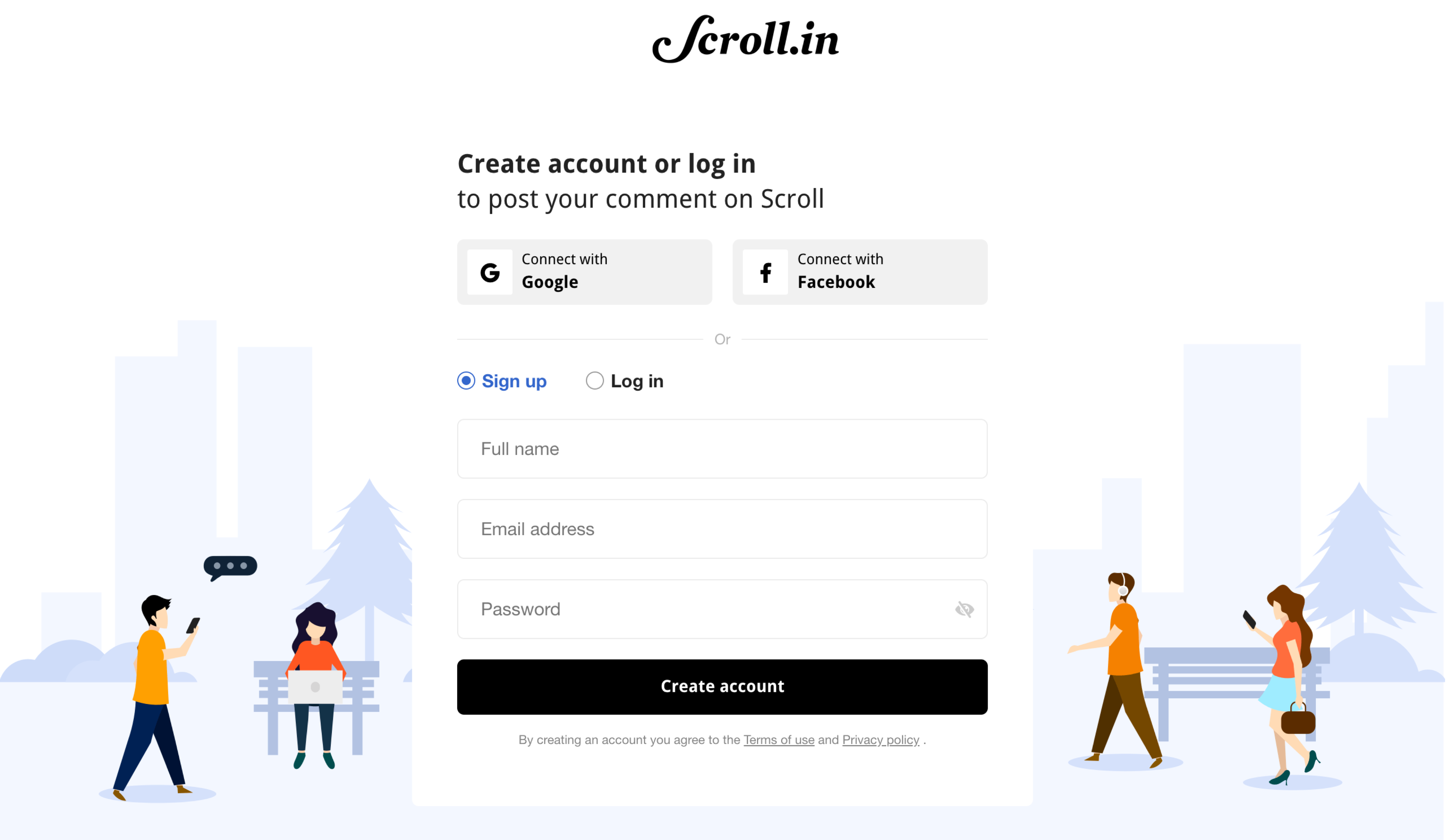
Sign upOne page to sign up or log in, with Google and Facebook as one-tap options. The title reminds readers why they're here.
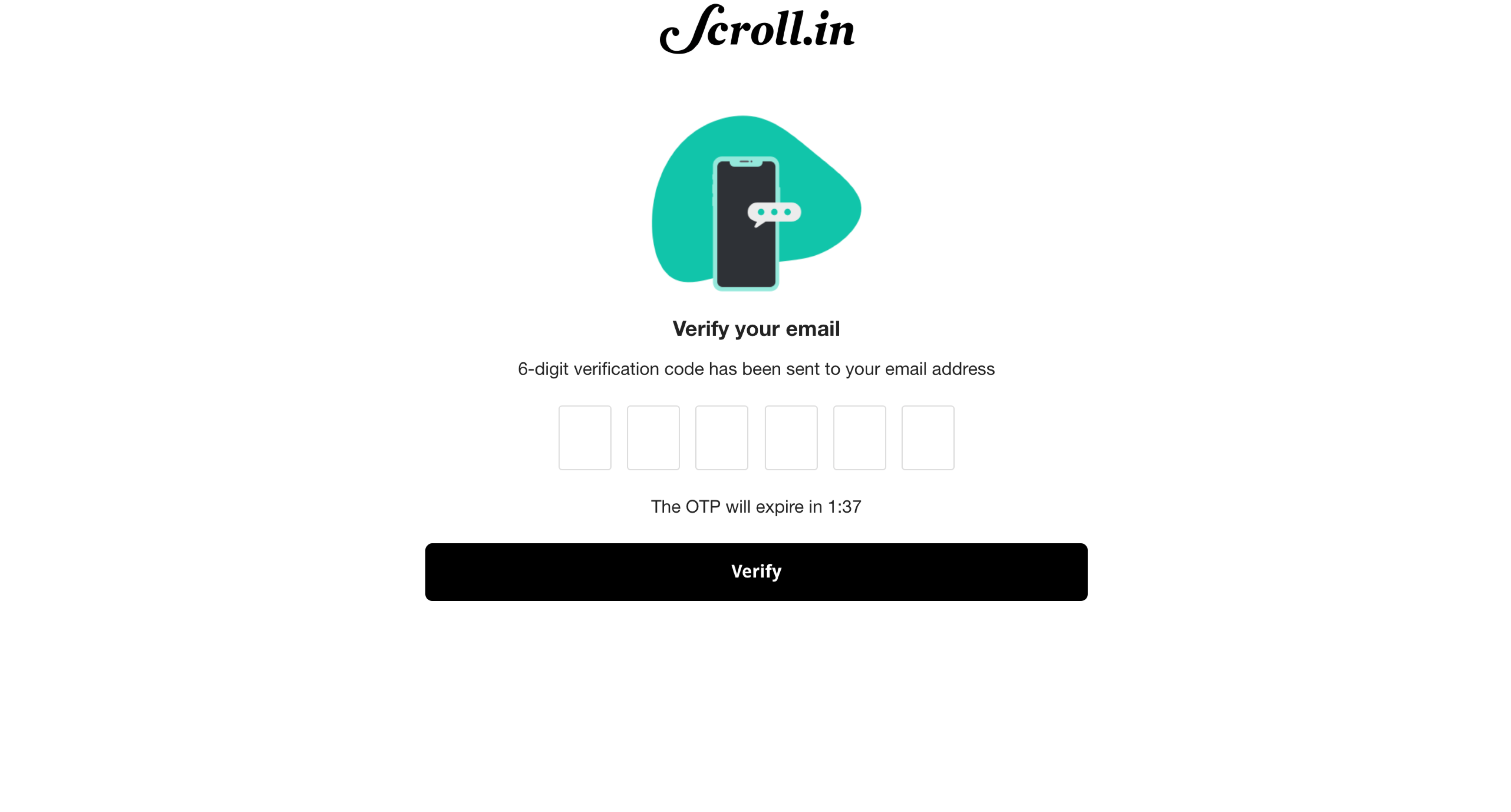
ConfirmSix boxes for a six-digit code, and a timer so readers know how long the code lasts.
Logged inA new comment shows up right away with a yellow "Pending approval" label, so it never feels lost.
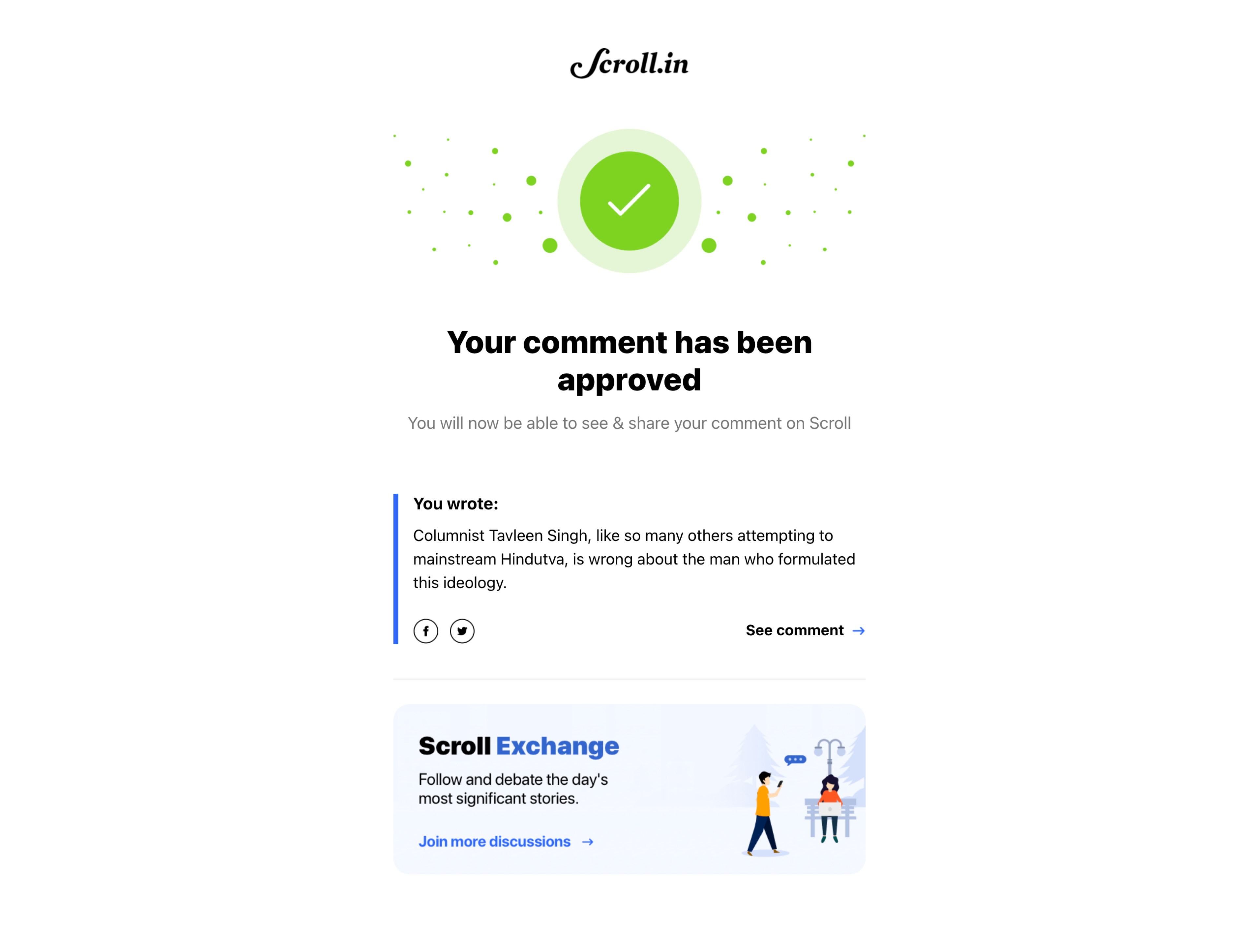
ApprovedThe email quotes what you wrote, links straight to it and invites you to more discussions.
House rulesBlocked readers can still read along. A red notice tells them who to write to if they disagree.
Reflection
One feature turned into a whole system
Over five months, Comments grew from one feature into a full system: entry points, easy sign-up, one-time codes, threads, moderation and emails. All of it was designed to keep the discussion useful and polite.
More work
See more projects
Drag to turn it
Stck Books. Print on demand for every book.
A print-on-demand system built from scratch. Any book on Stck can become a printed paperback and ship anywhere in the world.





















 Antony